
QuickFile720
What Is the Foreign Insurance Tax and How Much Is It?
Foreign Insurance Tax is a federal excise tax imposed under
Internal Revenue Code § 4371 on certain insurance transactions covering U.S. risks when placed with a foreign insurer. The tax generally applies to premiums paid on policies issued by foreign insurers and is reported quarterly on Form 720.
As stated in IRS Publication 510 (Excise Taxes),
Section 8. Foreign Insurance Taxes (IRS No. 30), the tax is:
- Casualty insurance and indemnity, fidelity, and surety bonds – $0.04
- Life insurance, sickness and accident policies, and annuity contracts – $0.01
- Reinsurance covering any of the above contracts – $0.01
These amounts apply to each dollar, or fractional part of a dollar, of premium paid.
Who Pays the Foreign Insurance Tax?
The tax liability generally falls on the person who makes, signs, issues, or sells the policy, or for whose use or benefit the policy is made. In most situations, the U.S. person who pays the premium to the foreign insurer (or to a foreign broker) is responsible for reporting and paying the tax.
If the foreign insurer does not pay the tax, the obligation may shift to other responsible parties involved in the transaction, including the insured or intermediary, depending on the facts of the transaction.
Common Challenges in Filing the Foreign Insurance Tax

Determining Whether the Policy Is Taxable
Businesses often struggle to confirm whether a policy is considered foreign-issued under IRS rules. Misinterpretation can result in incorrect reporting or missed tax liability.

Applying the Correct IRS Tax Rate
Different types of foreign insurance coverage are subject to different IRS rates. Using the wrong rate can lead to underpayment, penalties, and amended filings.

Calculating Tax on the Correct Premium Amount
The tax is based on the premium paid, not the coverage limit. Complex payment terms, endorsements, or installment premiums can make accurate calculation difficult.

Allocating Premiums for Multi-Risk or Multi-Country Coverage
Some foreign policies cover multiple risks or jurisdictions under a single premium. Allocating the correct taxable portion for U.S. risks can be complicated and prone to error.

Maintaining Proper Supporting Documentation
Foreign insurers may not provide documentation formatted for U.S. tax compliance. Incomplete records can create challenges during IRS audits or compliance reviews.
QuickFile720 - Smart Solution for Your Foreign Insurance Tax Filings
Foreign Insurance Tax compliance does not have to be complex or stressful. QuickFile720 provides a streamlined, accurate, and IRS-authorized solution designed to overcome the challenges discussed above.
Clear Taxability
Guidance
QuickFile720 guides you through structured inputs to determine whether your foreign-issued policy is subject to U.S. excise tax. This minimizes confusion and helps ensure accurate compliance from the start.
Automated IRS Rate Application
The system applies the correct IRS tax rate based on the type of foreign insurance coverage. This eliminates manual errors and prevents costly underpayments.
Precise Premium-Based Tax Calculation
QuickFile720 calculates tax based strictly on the premium amount entered. Built-in validations help you avoid mistakes caused by complex payment structures.
Built-In Compliance
Checks
The platform includes validation checks aligned with IRS Form 720 requirements. These safeguards reduce the risk of rejection, penalties, or amended filings.
Organized Documentation and Secure E-Filing
QuickFile720 allows you to maintain structured records aligned with IRS requirements. Secure, IRS-authorized e-filing ensures your return is submitted accurately and on time.
Foreign Insurance Tax Filing: Manual vs Online Steps

- Step 1 - Download the latest version of Form 720 from the official IRS website.
- Step 2 - Review Form 720 instructions to locate Foreign Insurance Taxes IRS No.30
- Step 3 - Enter business details including name, address, EIN, and contact information
- Step 4 - Enter the correct tax quarter and tax year manually.
- Step 5 - Enter the Premium amount paid under the correct category
- Step 6 - Manually calculate .04% or .01% on the premium amount Entered.
- Step 7 - Enter the calculated tax amount on the correct sub category line under IRS number 30
- Step 8 - Double-check calculations and line entries for accuracy.
- Step 9 - Prepare payment by check or money order payable to the United States Treasury and complete Form 720-V payment voucher
- Step 10 - Mail the completed Form 720 and payment to the appropriate IRS address.

- Step 1 - Create your QuickFile720 account and log in securely.
- Step 2 - Enter your business details including EIN and filing quarter.
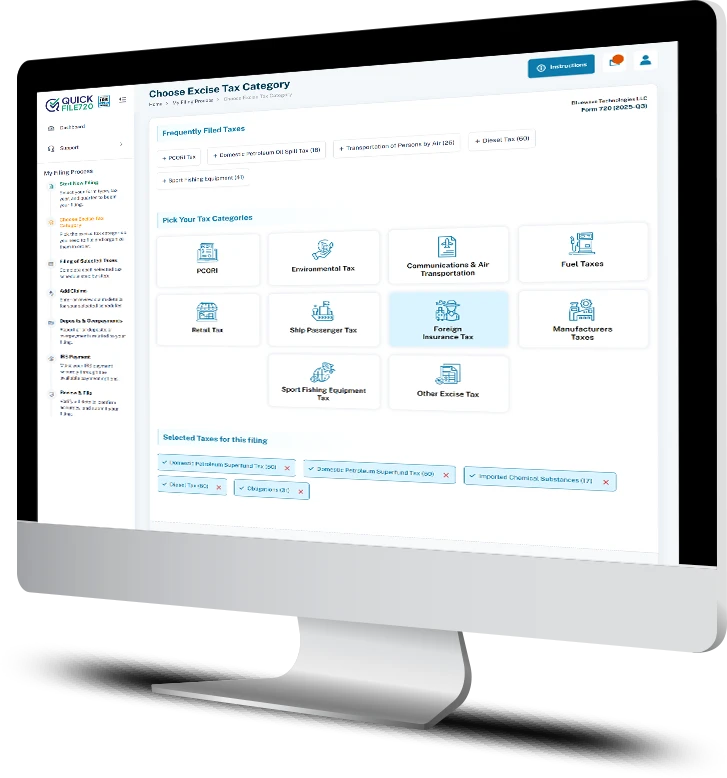
- Step 3 - Select Foreign Insurance Tax and select “Policies issued by foreign insurers (30)”
- Step 4 - Select the type of event, enter premium amount and tax date.
- Step 5 - Your tax amount is automatically calculated and displayed for review.
- Step 6 - Submit your return online with secure payment and receive Instant Acknowledgement
Frequently Asked Questions
Testimonials
Affordable and Cost-Effective Filing
QuickFile720 made filing Foreign Insurance Tax simple and affordable for our company. The pricing was transparent with no hidden fees, which helped us manage compliance without increasing overhead.
Simple and Easy Navigation
The platform is extremely user-friendly and easy to navigate, even for complex foreign insurance filings. We were able to complete our Form 720 quickly without needing outside assistance.
Instant IRS Acknowledgment
We received instant acknowledgment after submitting our Foreign Insurance Tax return through QuickFile720. That confirmation gave us confidence that our filing was accepted without delays.
Want to see how QuickFile720 simplifies your Foreign Insurance Tax filing?
Our excise tax specialists are ready to guide you step by step and show you how to calculate, report, and e-file your Form 720 accurately and on time.
Schedule your free demo today and discover how simple, secure, and cost-effective Foreign Insurance Tax filing can be.
Book a Free Demo