
QuickFile720
What is the Environmental Excise Tax?
Environmental excise taxes are federal excise taxes imposed under Internal Revenue Code §§ 4611 , 4661, and 4671 on certain petroleum products, taxable chemicals, imported chemical substances, ozone-depleting chemicals (ODCs), and certain imported products containing or manufactured using ODCs. These taxes are reported on Form 720 (Quarterly Federal Excise Tax Return) with Form 6627 (Environmental Taxes) attached to calculate the tax liability.
The environmental excise tax amount depends on the specific taxable product or substance. Chemical taxes are generally calculated based on the taxable chemical or substance rate, while petroleum-related taxes apply based on the taxable quantity or applicable measurement rules.
Who Pays Environmental Excise Taxes?
The tax generally applies to:
- Petroleum taxpayers – Businesses that receive crude oil at a U.S. refinery or import taxable petroleum products into the United States.
- Chemical manufacturers, producers, or importers – Businesses that sell or use taxable chemicals subject to the environmental tax under IRC §4661.
- Importers of taxable chemical substances – Businesses that import substances subject to tax under IRC §4671.
- Manufacturers or importers of ozone-depleting chemicals and certain ODC-containing products – Businesses responsible for taxable ODC activities under the applicable IRS rules.
The responsible taxpayer must calculate the applicable environmental tax, complete Form 6627, and attach it to Form 720 when filing.
Common Challenges in Environmental Taxes Filing

Managing Multiple Forms
Handling Environmental Taxes often requires managing Form 720 and Form 6627, making the filing process more complicated. Downloading, completing, and maintaining multiple forms manually can increase confusion and filing errors.

Determining Form Applicability
Understanding whether Form 6627 applies to specific Environmental Tax categories can create uncertainty during filing. Taxpayers often spend extra time reviewing requirements to identify the correct forms needed.

Finding Updated Tax Rates
Environmental Tax rates are not always easily available within Form 720, creating additional research efforts. Finding the latest rates for specific chemicals can make accurate filing more challenging.

Calculating Tax Amounts Manually
Manual filing requires taxpayers to research applicable rates and calculate the correct tax amounts themselves. This additional calculation work can be time-consuming and may increase the chances of mistakes.

Understanding Filing Eligibility
Determining whether a business activity qualifies for Environmental Taxes can often be confusing. Taxpayers dealing with chemicals may struggle to identify their exact filing responsibilities.
Smart Solutions for Environmental Excise Tax Filing - QuickFile720
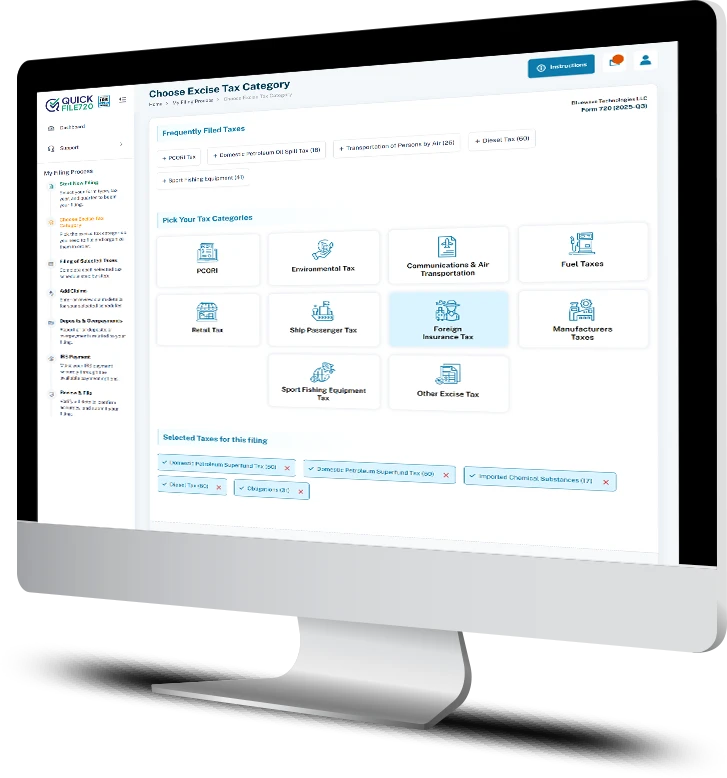
Take the complexity out of Environmental Tax filing with QuickFile720. Easily manage forms, calculations, and requirements in one streamlined filing experience.
Single Interface for Multiple Forms
For taxes like Chemicals other than ODC’s, where both Form 720 and Form 6627 are required, QuickFile720 allows you to manage everything from one unified interface. There is no need to handle multiple forms manually.
Automatic Tax Calculations
Avoid the hassle of manual calculations and reduce the risk of errors. QuickFile720 automatically calculates your environmental tax amounts using quantities, product details, and applicable IRS numbers, helping you file faster and with confidence.
Automatic Form 6627 Applicability
In manual filing, determining whether a specific Environmental Tax category requires Form 6627 can be confusing and time-consuming. QuickFile720 automatically applies Form 6627 where required, helping you file the correct forms without the guesswork.
Current Updated Tax Rates
QuickFile720 uses the latest applicable tax rates for each tax category, including chemicals and fuels, to ensure accurate calculations. You don’t have to spend time verifying rates or worry about whether your tax amounts are calculated correctly.
Simplified Filing with Built-In Compliance Support
QuickFile720 brings together accurate tax category identification, automatic calculations, and updated rate application to simplify Environmental Tax filings. Reduce manual effort, minimize calculation errors, and complete your filings with greater accuracy and confidence.
Environmental Excise Tax
Categories Filed Using
QuickFile720
Domestic Petroleum Superfund Tax (IRS No. 53)
Applies to domestic crude oil received at a U.S. refinery or used before reaching a refinery. The tax is reported based on the applicable petroleum Superfund tax requirements.
Imported Petroleum Products Superfund Tax (IRS No. 16)
Applies to imported petroleum products entered into the United States for consumption, use, or warehousing. The person entering the petroleum products into the country is generally responsible for the tax.
Chemicals (Other Than ODCs) (IRS No. 54)
Applies to taxable chemicals, other than ozone-depleting chemicals, that are manufactured, produced, or imported and sold or used. The tax is calculated based on the applicable chemical tax rate.
Imported Chemical Substances (IRS No. 17)
Applies to imported substances that contain taxable chemicals and are subject to the environmental tax requirements. The importer determines the applicable tax based on IRS rules and applicable rates.
Ozone-Depleting Chemicals (ODCs) (IRS No. 98)
Applies to taxable ozone-depleting chemicals manufactured, produced, or imported by taxpayers subject to the environmental tax provisions. The tax is generally based on the weight of taxable ODCs.
ODC Tax on Imported Products (IRS No. 19)
Applies to imported products that use ozone-depleting chemicals (ODCs) as materials in the manufacture or production of the product. The tax is determined based on the ODCs used in the imported product and applicable IRS requirements.
Environmental Excise Tax Filing: Manual vs Online Steps

- 1. Download the latest versions of Form 720 from the official IRS website. For IRS numbers 98,19,17,54 you need to download Form 6627 also.
- 2. Enter business details such as company name, address, and contact information on both forms
- 3. Provide your EIN and select the correct tax quarter, ensuring consistency across both forms.
- 4. Identify the correct IRS tax category line in Form 720 for your filing. Environmental taxes are under Part 1.
- 5. Enter required details as per the category selected. Example for IRS number 17 (Imported chemical substances) you need to provide the name of substance, quantity on tons etc) in form 6627.
- 6. Refer to Form 720 instructions and manually calculate tax amounts using published rates.
- 7. You need to calculate the amount in Form 6627 accurately and enter the same final amount in Form 720 corresponding IRS number Tax column.
- 8. Maintain consistency for both the forms while providing details.
- 9. Complete Form 720-V payment voucher with EIN, quarter, and payment amount.
- 10. Attach both forms with a payment check and mail the complete package to the correct IRS address.

- 1. Create your free QuickFile720 account and log in securely.
- 2. Enter your business information including name, address, EIN, and filing quarter.
- 3. Select the applicable Environmental tax category under part 1
- 4. Our portal asks for a consolidated data required from Form 720 and Form 6627 together for environmental excise taxes
- 5. Review the auto-calculated tax amount and submit your return with secure payment.
Testimonials
Simplified Filing Through One Platform
QuickFile720 made our Environmental Excise Tax filing process much simpler with everything available in one easy-to-use platform. Managing multiple forms, tax details, and filing steps through a single interface saved us valuable time.
Accurate Tax Calculations Without Manual Work
The automatic tax calculation feature helped us avoid manual calculations and reduced the chances of errors during filing. QuickFile720 made it easier to complete our Environmental Excise Tax return with accurate calculations and confidence.
Affordable Solution for Tax Filing Needs
QuickFile720 provided an affordable solution for our Environmental Excise Tax filings without compromising on accuracy or security. It gave us a reliable filing experience at a price that worked well for our business.
Simplify your Environmental Tax filing journey with expert support and a smarter online solution.
QuickFile720 helps you file Environmental Tax accurately with a seamless filing experience.
Schedule Your Free Demo Today